



A step-by-step Guide on Viva Amplify Setup
Microsoft Viva Amplify revolutionizes the way organizations manage their internal communications.
By centralizing campaign management, facilitating multi-channel distribution, enhancing collaboration, and providing comprehensive analytics, Viva Amplify empowers organizations to communicate more effectively and engage their employees. As a result, businesses can foster a more connected, informed, and motivated workforce.
Investing in Viva Amplify is a strategic move for any organization looking to elevate its communication efforts and drive employee engagement. Embrace the future of internal communications with Viva Amplify and unlock the full potential of your workforce.
And now, let us dive into the step-by-step guide on how to set up Microsoft Viva Amplify:
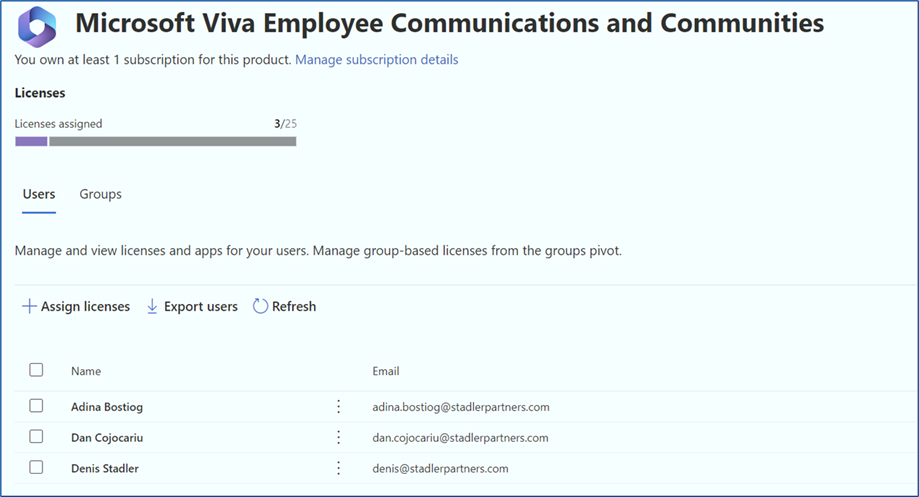
How to activate the License
As a first step, activate the trial package for Microsoft Viva Employee Communications and Communities

User Assignments
Add the user accounts participating in the pilot phase
Prerequisites for the Admin Role
Ensure Microsoft 365 group creation has been enabled for you. You can connect with your admin to check if you have the necessary permissions. Learn more about Microsoft 365 group creation permissions.
Campaigns are stored in OneDrive for Business. If you don’t have OneDrive for Business set up, contact your admin.
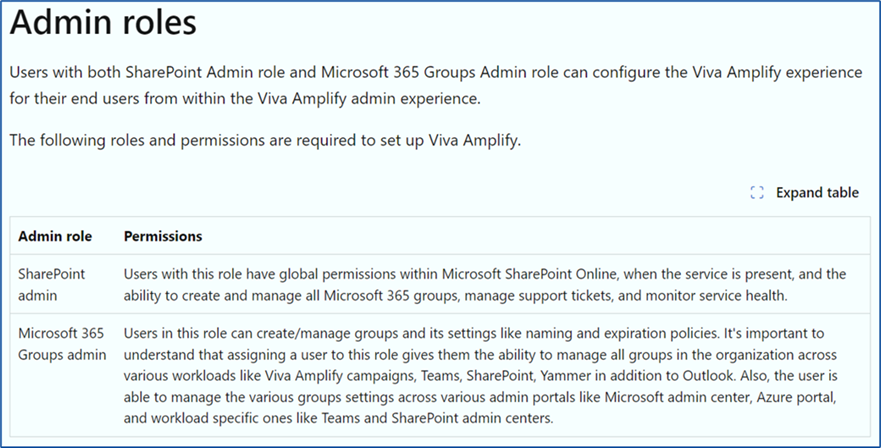
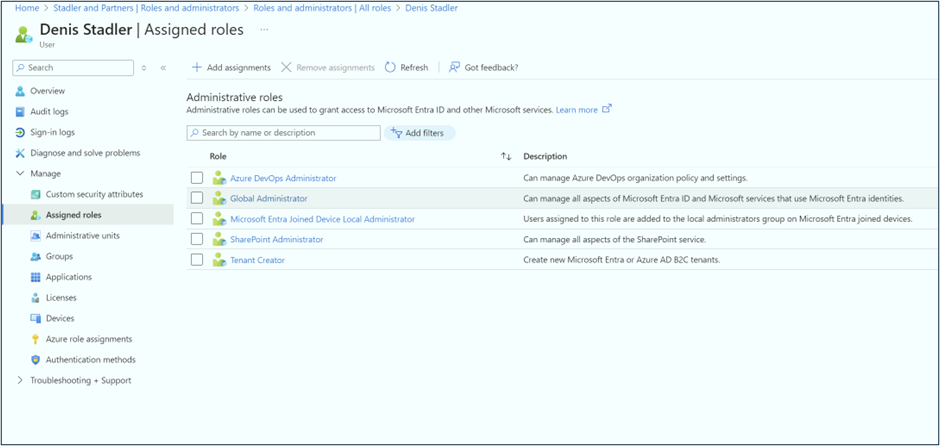
Setup the Viva Amplifier Admin
Use Entra Interface to assign the roles.
Viva Amplify URL
https://<tenant>.sharepoint.com/_layouts/15/viva-amplify.aspx

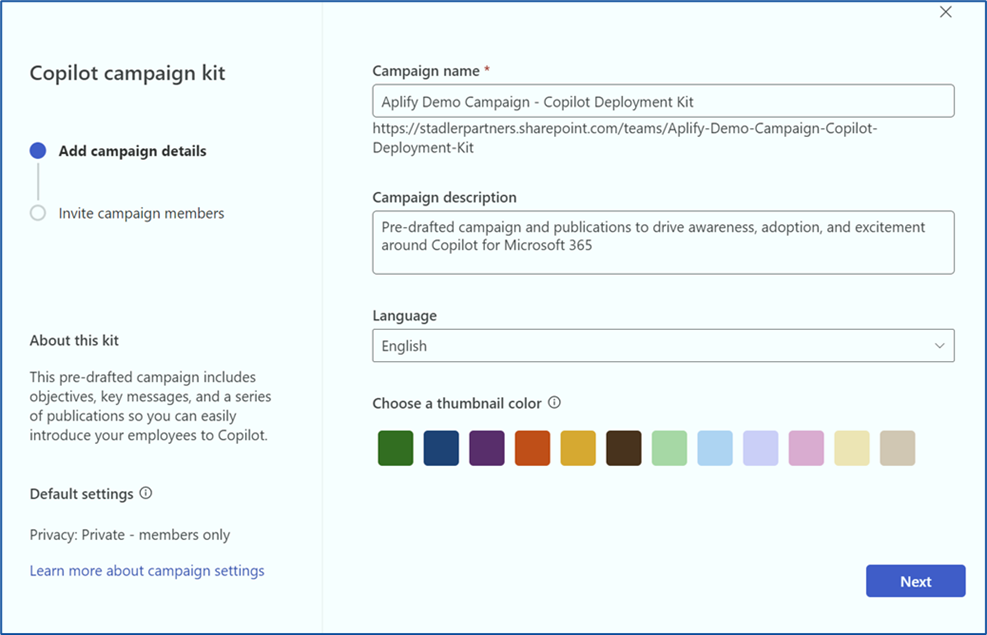
Setup a Demo Campaign
Use the Copilot template proposed by Microsoft

This Copilot campaign kit creates a SharePoint Team site associated with Teams

The campaign has now Draft status
The authoring part can start now (campaign setup, weekly objectives, stages, etc.).
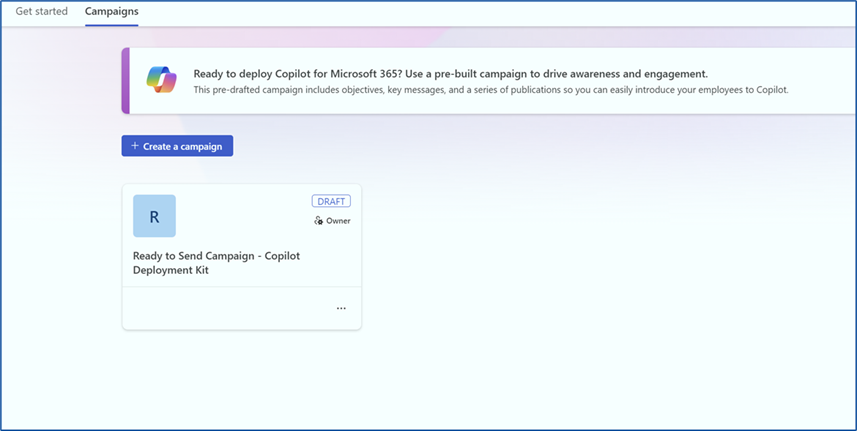
Each publication can be distributed through 3 channels (Outlook – email, SharePoint – news article in a site, Teams – message / announce in a channel)
There is also a Viva Engage channel that will be available soon

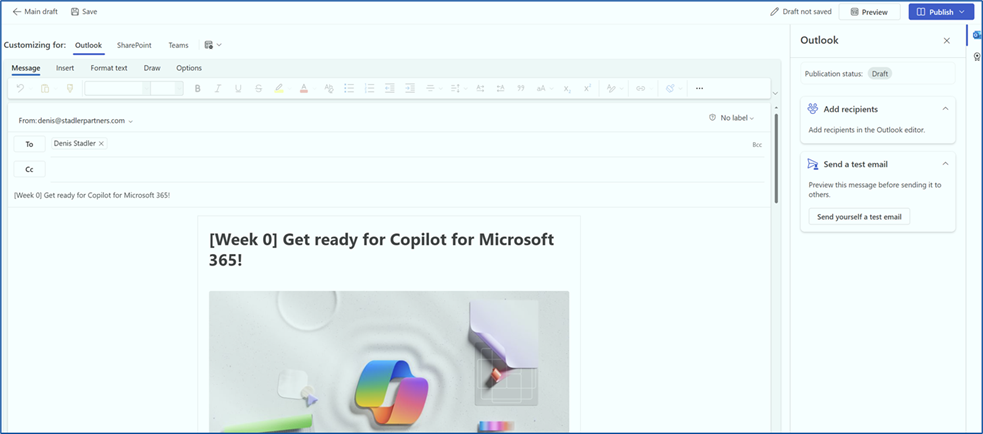
Add the final recipients list (internal e-mails, groups, even external addresses!)
Send test e-mails to yourself!
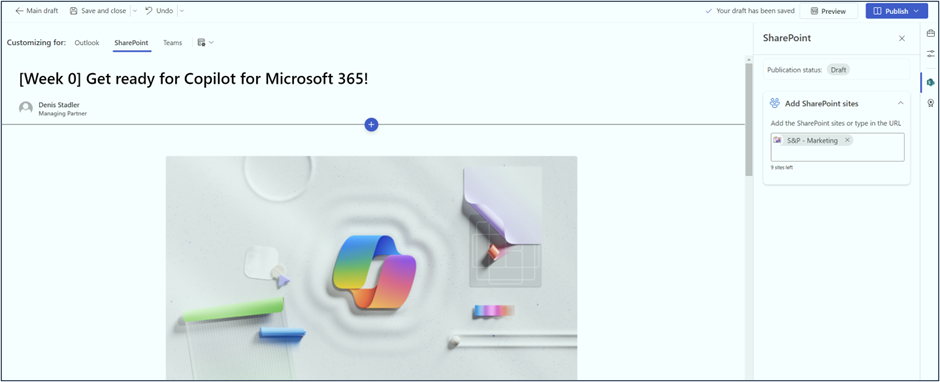
You can select a maximum number of 10 Sites.
The article gets published as a News Article
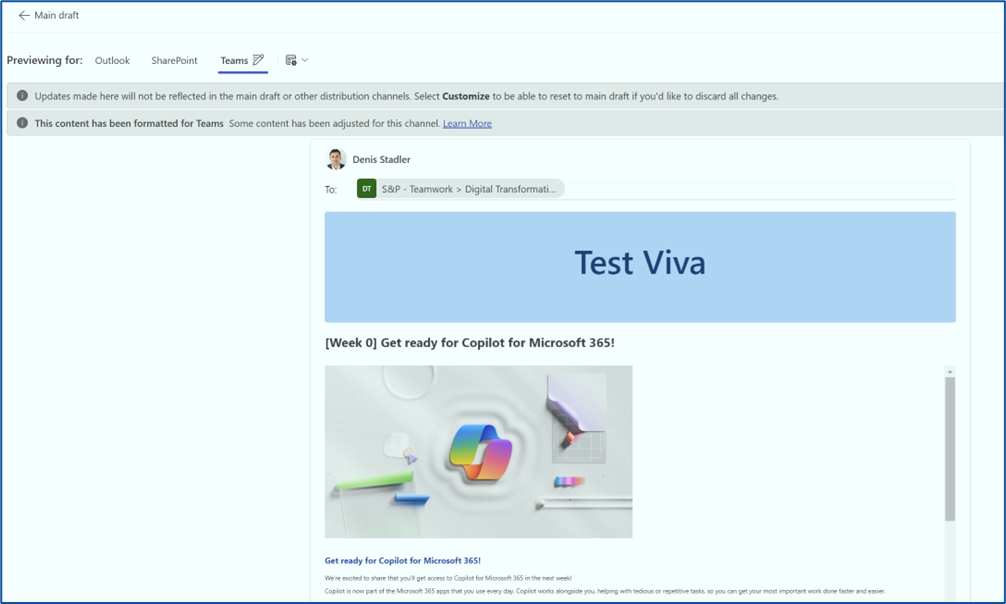
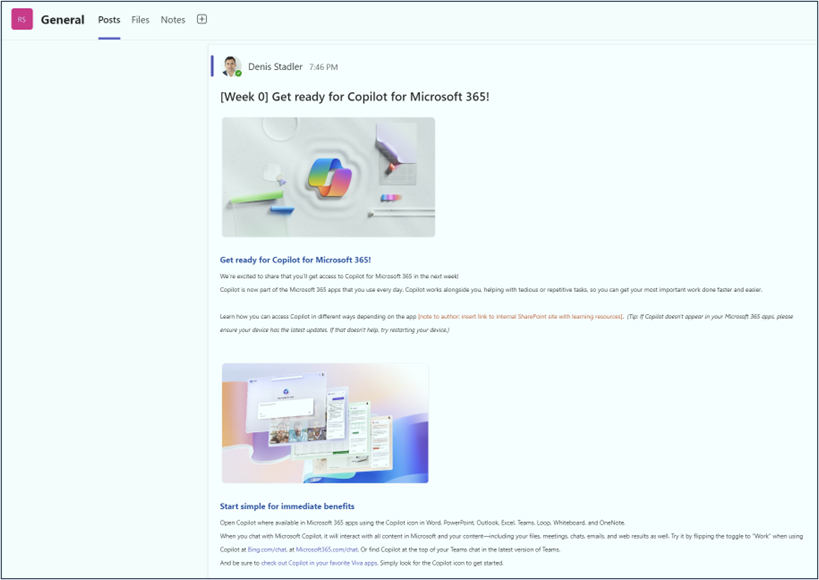
Publish as a Post or Announce in a Teams Channel
Boost your internal communications with Viva Amplify today and watch your campaigns succeed across multiple channels!

